200 Pages Saved in the Cloud, Recalled Across the Country: How Project Recall Actually Works

A 200-page inspection report was saved to the cloud and recalled from another location across the country.
Not a PDF attachment. Not a stripped-down export. Not a folder of disconnected photos and spreadsheets.
The full inspection project came back: report content, drawings, CML grids, findings, photos, calculations, and the project information needed to continue the workflow.
That example shows what cloud-based inspection data management should mean for an inspection team. The point is not simply that files are stored online. The point is that the project remains a usable, connected project when another inspector, project manager, or office reviewer needs it.
The problem with treating an inspection project as a collection of files
Most inspection teams have seen what happens when a large project is moved manually.
A field inspector sends a report file by email. Photos are transferred separately. A drawing is saved in another folder. The latest calculation workbook is stored on someone else’s computer. A project manager downloads an attachment, makes a revision, and sends it back with a slightly different filename.
After several rounds, the team has to answer a basic question:
Which copy is the project?
That uncertainty creates practical problems:
- A reviewer opens an older report version.
- A drawing does not match the CML locations in the report.
- Photos are present, but their connection to findings is unclear.
- Calculations have to be rechecked because the source data is not attached to the same project state.
- A field package is treated as final before the office has reviewed it.
- Someone spends time comparing folders instead of reviewing inspection results.
Digital inspection reporting only solves those problems when the project data, evidence, drawings, and calculations move together.
That is the role of Project Recall in NDT Integrity.

What Cloud Save and Cloud Recall actually do
NDT Integrity uses Cloud Save and Cloud Recall to move inspection projects through a controlled cloud workflow.
Cloud Save places the project into the cloud after it passes the platform’s validation checks. Cloud Recall retrieves the project and reconstructs the correct project state at the destination.
That distinction matters.
A basic file upload may tell you that something was transferred. It does not necessarily tell you whether the file is complete, valid, or connected to the correct drawings and inspection information.
Project Recall is designed around the project itself. When a project is recalled, the goal is to bring back the connected inspection record rather than a partial copy assembled from separate exports.
The same validation path applies to both smaller projects and larger projects that must be transferred in chunks. The transfer method can accommodate project size, but the project authority does not change. The recalled project still needs to represent the correct state of the inspection record.
For an NDT inspection company, that means a large tank or vessel package can travel as one project even when the report contains hundreds of pages and multiple forms of evidence.
A 200-page project is more than a report
A 200-page inspection package is not just 200 pages of text.
It may include:
- Equipment and component information
- CML or TML grids
- Current and historical thickness readings
- Corrosion-rate and remaining-life calculations
- Inspection findings and recommendations
- Tank, vessel, or piping drawings
- CML locations and NDT callouts
- Field photographs
- Checklists and inspection notes
- Technique sheets and supporting documentation
- Report formatting and client-facing content
If those items are moved as disconnected files, the receiving team has to rebuild the relationship between them.
If they move as one project, the receiving team can continue from the project structure already created by the field and office workflow.
This is particularly important for API 510, API 570, and API 653 inspection work, where the report depends on the connection between equipment records, readings, drawings, calculations, photos, and findings.
Field-to-office continuity without emailed project files
The field-to-office workflow is straightforward in principle:
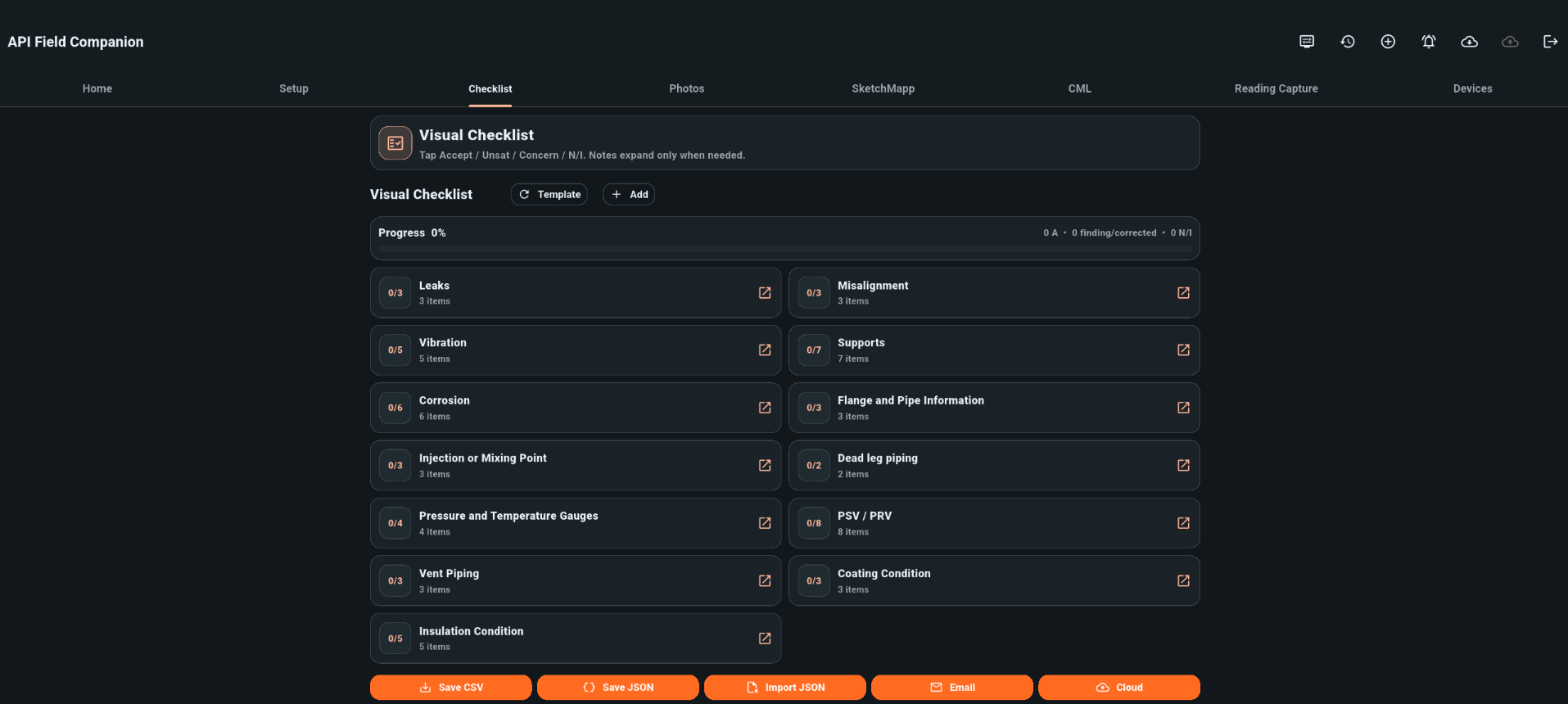
- The inspector works from the assigned project.
- Field information is captured and connected to the inspection record.
- The project is saved to the cloud.
- An office reviewer or another authorized user recalls the project from another location.
- The returned project is reviewed before it becomes the authoritative project record.
This removes the need to email large project files or ship drives between locations.
The field inspector can finish a tank or vessel package on site, save the project, and allow the office to recall it for review. The office does not have to wait for a physical drive or attempt to combine separate exports.
The same applies when a project manager travels to another state. Instead of asking someone to resend the latest attachment, the manager can recall the current project from the cloud rather than relying on the last version someone emailed.
That is the practical meaning of cloud-based inspection data: the project can move with the team while retaining its structure.
One project authority instead of several disconnected copies
NDT Integrity’s local Save, Load, Cloud Save, Cloud Recall, and Android Import workflows operate from the same project authority.
That design addresses one of the most common sources of confusion in digital reporting: separate processes creating separate versions of the same job.
When local work, cloud transfer, and Android field returns are treated as unrelated copies, the team has to decide which version wins. That decision can become subjective, especially when several people have made changes.
A shared project authority gives the team a defined reference point.
It does not remove the need for review. It does provide a clearer workflow:
- Local project work remains tied to the project.
- Cloud Save transfers the validated project state.
- Cloud Recall brings that project state back.
- Android Import returns field work through the project workflow.
- Reviewers can check returned work before accepting it into the authoritative record.
This is important for inspection reporting software because accuracy is not only about the number written into a CML table. It is also about whether the drawing, photo, finding, calculation, and report section all refer to the same project state.
Cloud integrity checks reject invalid project data
Cloud storage should not silently accept invalid project data and turn it into the team’s authoritative backup.
NDT Integrity checks project data during cloud saves. If the data is tampered with or invalid, the save is rejected rather than accepted as the trusted project copy.
That behavior provides an important boundary in the workflow. A failed save is visible and requires attention. A silent acceptance of bad data could create a more serious problem later, when the team recalls a project believing it is complete and authoritative.
For inspection teams, this helps preserve confidence in the record being transferred. The cloud is not treated as a passive file bin. It is part of the project-control process.
The result is not a claim that review is unnecessary. Qualified inspectors, engineers, Level III personnel, and owner-users still remain responsible for interpretation, engineering disposition, acceptance, and final issue. The software supports the controlled movement and organization of the project so those reviews can happen against the correct information.
Recall supports review before approval
A returned field package should not automatically become the master record without review.
That is especially important when a project includes multiple inspectors, multiple sites, or several field returns. The office may need to check readings, confirm drawings, review photo comments, verify calculations, and resolve incomplete information before the project is approved.
With Project Recall, the office can pull the field package back into the workflow and review it before it becomes the authoritative project record.
That supports a practical approval sequence:
- Field work is completed.
- The project is saved and transferred.
- The office recalls the project.
- Reviewers verify the returned information.
- Corrections or follow-up items are addressed.
- The reviewed project becomes the controlled record for reporting and delivery.
This is the difference between simply receiving a file and receiving a project that can be reviewed.
The project remains connected to inspection reporting
Cloud recall is most useful when it connects directly to the rest of the inspection workflow.
NDT Integrity keeps inspection data, drawings, photos, calculations, findings, and report compilation within the same project structure. SketchMapp supports inspection drawings, CML layouts, and NDT callouts that can remain connected to the report package instead of being maintained as unrelated CAD or image files.
For field teams, the workflow can include Android data collection and return to the Windows project. For office teams, the recalled project provides the information needed for review, calculation, and report generation.
That connection reduces the opportunity for duplicate data entry and manual reconstruction. The software supplies the project information that exists in the record; it does not ask the reviewer to guess which photo, drawing, or calculation belongs to which finding.
What this means for your inspection team
If your team manages large inspection packages across multiple locations, cloud recall should be judged by more than upload speed.
Ask practical questions:
- Can the full project be recalled, not just a PDF?
- Do drawings and CML information return with the project?
- Are large projects handled through the same validation path?
- Are invalid or tampered saves rejected?
- Do field returns and cloud transfers use the same project authority?
- Can the office review a returned package before it becomes the master record?
- Can another project manager access the current project without relying on emailed files?
The 200-page example answers those questions in practical terms. A complete inspection project was saved to the cloud and recalled across the country with the connected project information needed to continue the work.
That is what reliable inspection data management should provide: one project, one authority, and a controlled path from field capture to office review and final digital inspection reporting.
Keep your inspection projects connected
NDT Integrity helps NDT inspection companies, pipeline integrity contractors, and facility integrity managers move inspection work from the field to the office without breaking the project into disconnected copies.
From API inspection reporting and CML management to field collection, drawings, calculations, photos, and cloud-based project recall, the workflow is built around the inspection record your team actually needs to review and deliver.
Request an NDT Integrity demo or contact Scotty Garrett to discuss how your team handles large project transfers, field returns, and inspection report approval.