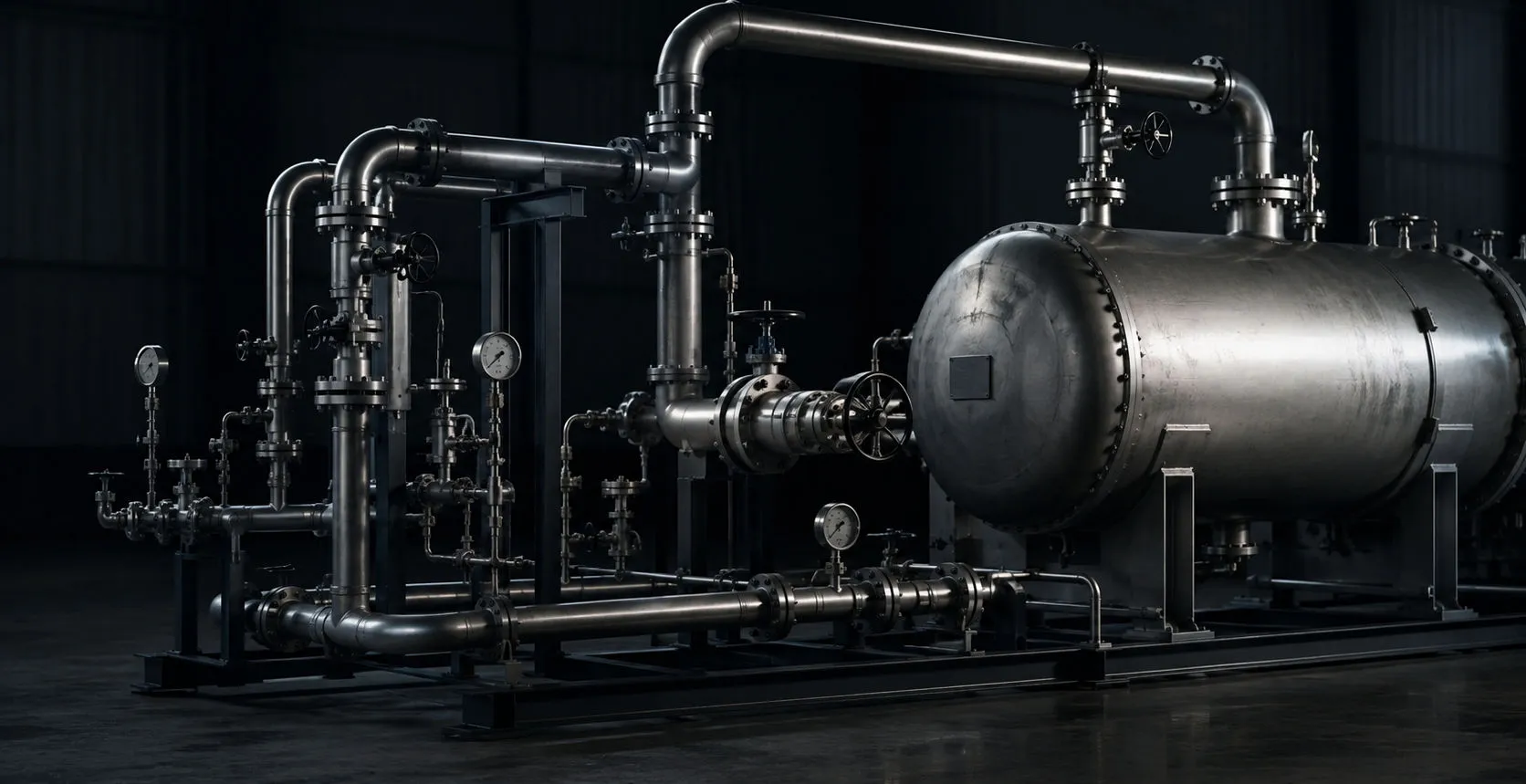
Industrial piping and pressure equipment in a mechanical integrity inspection environment

GUIDED WAVE 2.0

Guided Wave & LRUT Inspection Reporting Software

Organize Guided Wave / LRUT shots, traces, A+C images, calibration documentation, severity classifications, photos, certificates/OQs, technique sheets, and final reporting in one inspection package.

Keep screening context, indications, qualified interpretation, and follow-up evidence connected without presenting a screening response as a direct measurement of remaining wall thickness.

Request a Demo

01

Guided Wave reporting

Build the complete GUL inspection package

Guided Wave 2.0 brings inspection evidence, interpretation, and supporting documentation into a consistent report structure without rebuilding the package manually.

  • Shot-by-shot inspection documentation
  • Guided Wave indication tracking
  • Severity classification
  • Inspection range and coverage documentation
  • Trace image integration
  • A+C image support
  • SketchMapp integration
  • Inspection photos
  • Recommendations and findings
  • Final report generation
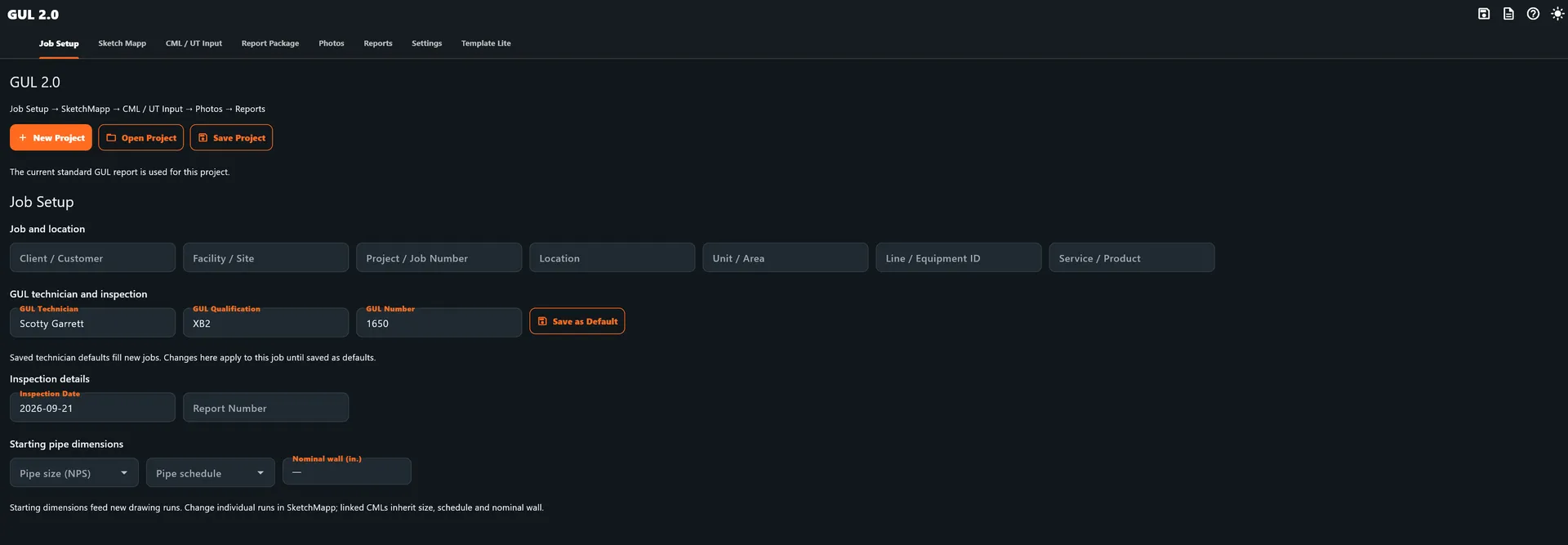
GUL 2.0 job setup screen with inspection, technician, and starting pipe dimension fields
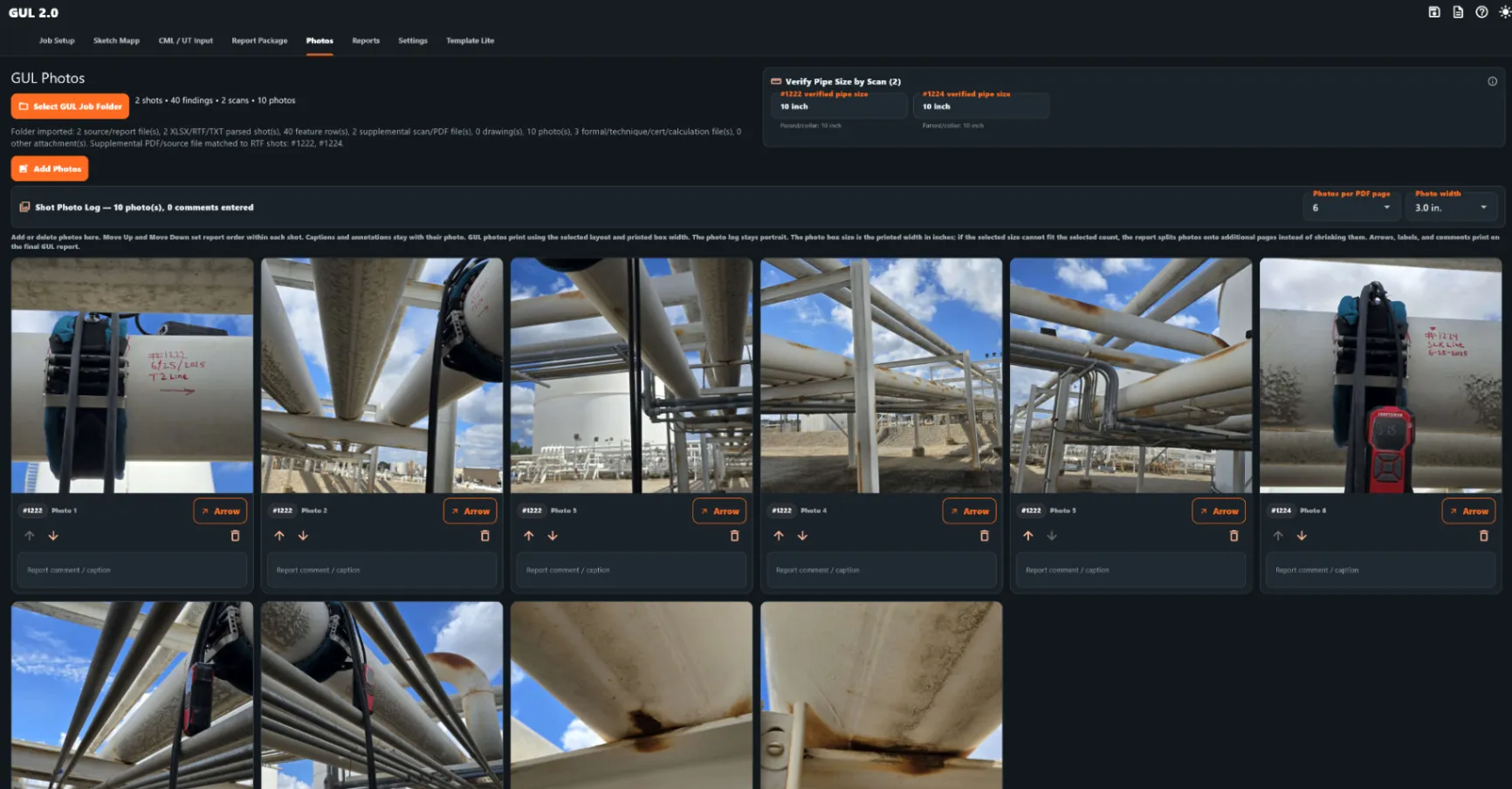
GUL 2.0 shot photo log showing inspection photographs connected to the guided wave package

02

Shot management

Organize every shot

Each inspection shot remains tied to its supporting evidence and reporting information from review through final delivery.

  • Shot identification and location
  • Inspection direction
  • Test range
  • Coverage information
  • Indication tracking
  • Severity assignment
  • Notes and findings
  • Trace image attachment
  • A+C image attachment
  • Photo documentation
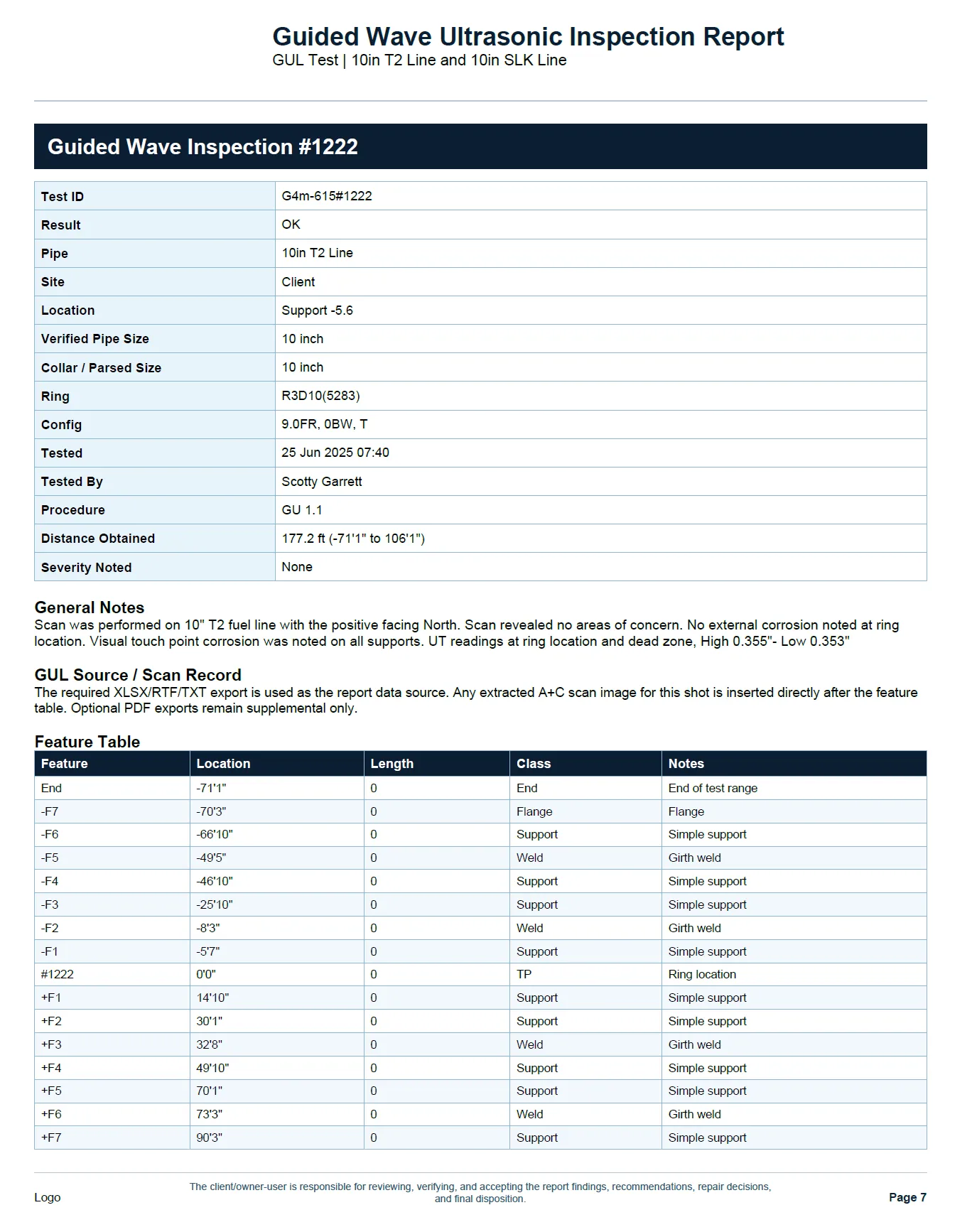
Guided Wave shot-by-shot inspection detail for Shot #1222 with test ID, result, pipe and ring configuration, distance, severity, notes, and feature table
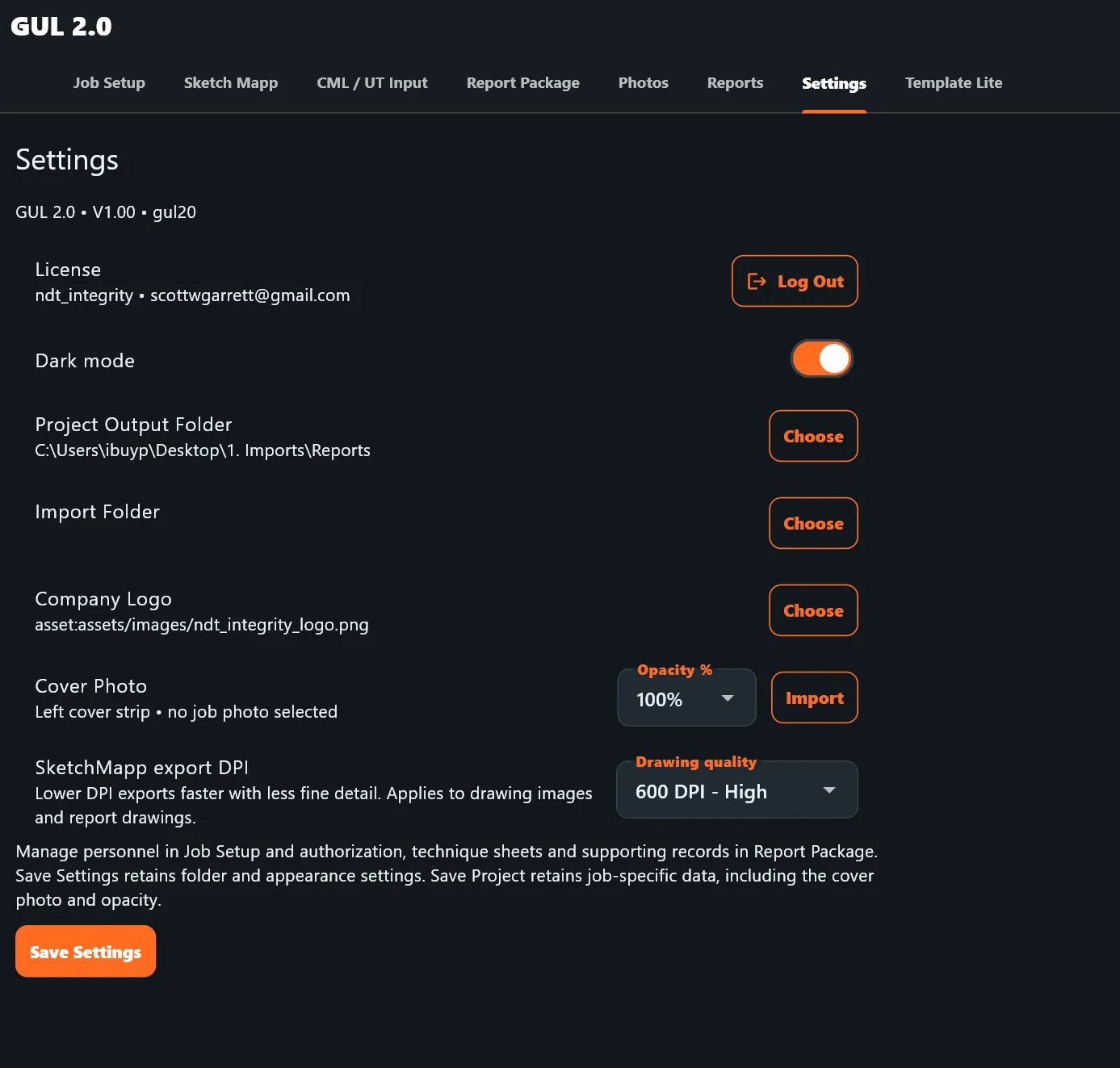
GUL 2.0 settings screen for drawing quality and cover photo configuration

03

INSPECTION PACKAGE IMPORT

IMPORT THE INSPECTION PACKAGE

Bring existing Guided Wave project files, trace images, A+C images, photos, certifications, technique sheets, and supporting documentation into one organized project.

  • GUL PDF / RTF source files
  • Trace images
  • A+C images
  • Photos
  • Certifications and OQs
  • Technique sheets
  • SketchMapp drawings
  • Supporting attachments

IMPORT THE DATA. BUILD THE PACKAGE.

GUL REPORT BUILDER

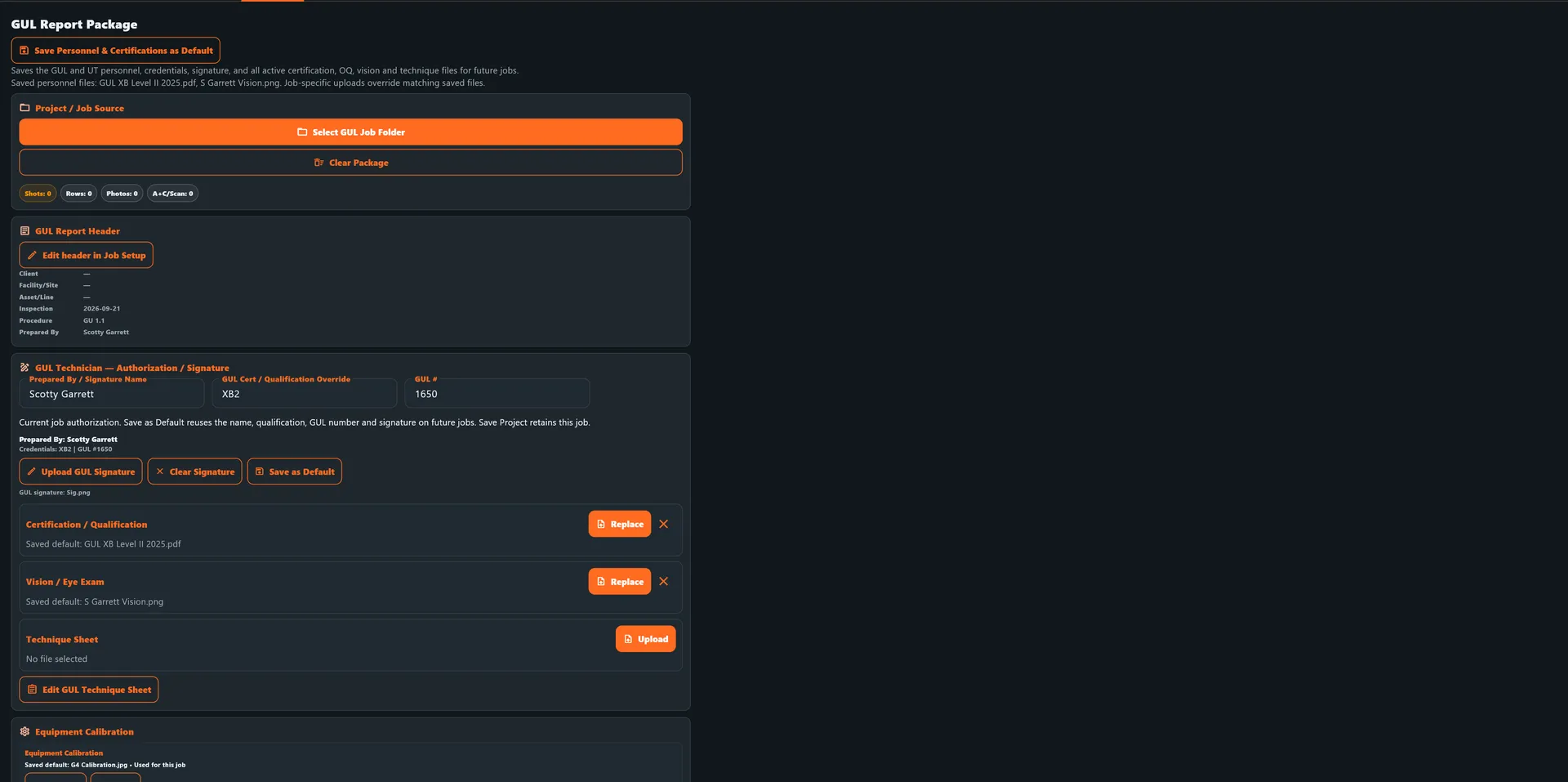
GUL report builder screen for importing project files, personnel, certifications, and technique sheet documentation

04

Indication review

From screening response to documented finding

Guided Wave indications are documented as screening results and should be evaluated together with inspection conditions, system limitations, qualified interpretation, and follow-up examination where required.

  • Indication location
  • Distance from datum
  • Estimated circumferential position
  • Severity category
  • Screening response documentation
  • Follow-up NDE status
  • Photos and supporting evidence
  • Inspector comments
  • Recommendations
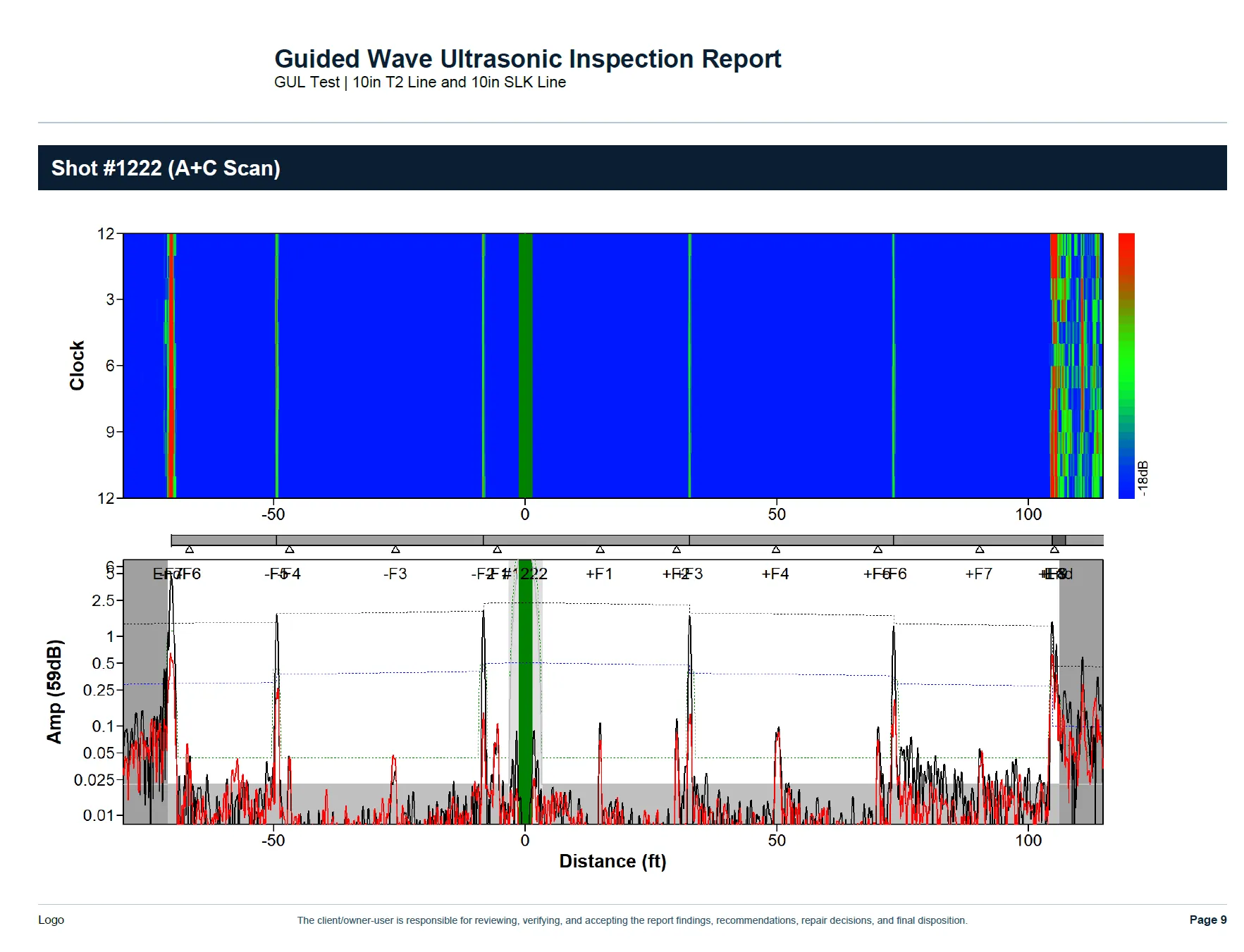
Guided Wave Shot #1222 A+C scan with clock axis, distance axis, amplitude trace, and feature markers for reviewing the screening response

05

Drawings & visualization

Put the inspection in context

Visual inspection context helps reviewers understand where the shot was performed, what features influenced the inspection, and where indications were identified.

  • SketchMapp inspection drawings
  • Shot location mapping
  • Pipe features
  • Supports and attachments
  • Inspection direction
  • Indication locations
  • Follow-up areas
  • Field annotations
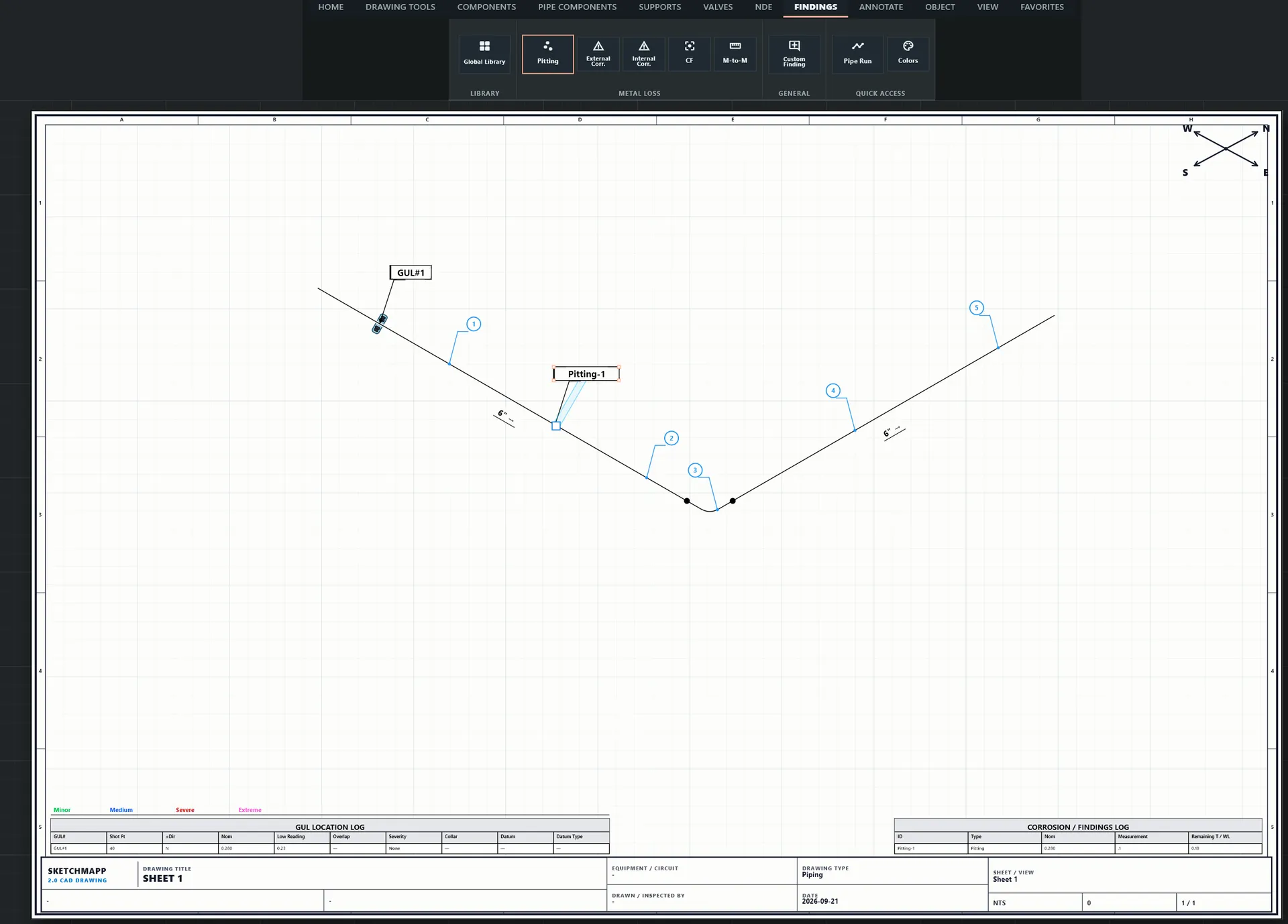
SketchMapp GUL location log and findings drawing showing shot locations and inspection context

06

Report package

Everything needed for the final deliverable

Guided Wave 2.0 compiles inspection information and supporting documentation into a consistent final report package.

  • Cover and project information
  • Dynamic scope
  • Shot summary
  • Individual shot pages
  • SketchMapp drawings
  • A+C images
  • Trace images
  • Inspection photographs
  • Calibration documentation
  • Inspector certifications
  • OQ documentation
  • Technique sheets
  • Recommendations
  • Signature and approval information

GUL 2.0 REPORT MANAGER

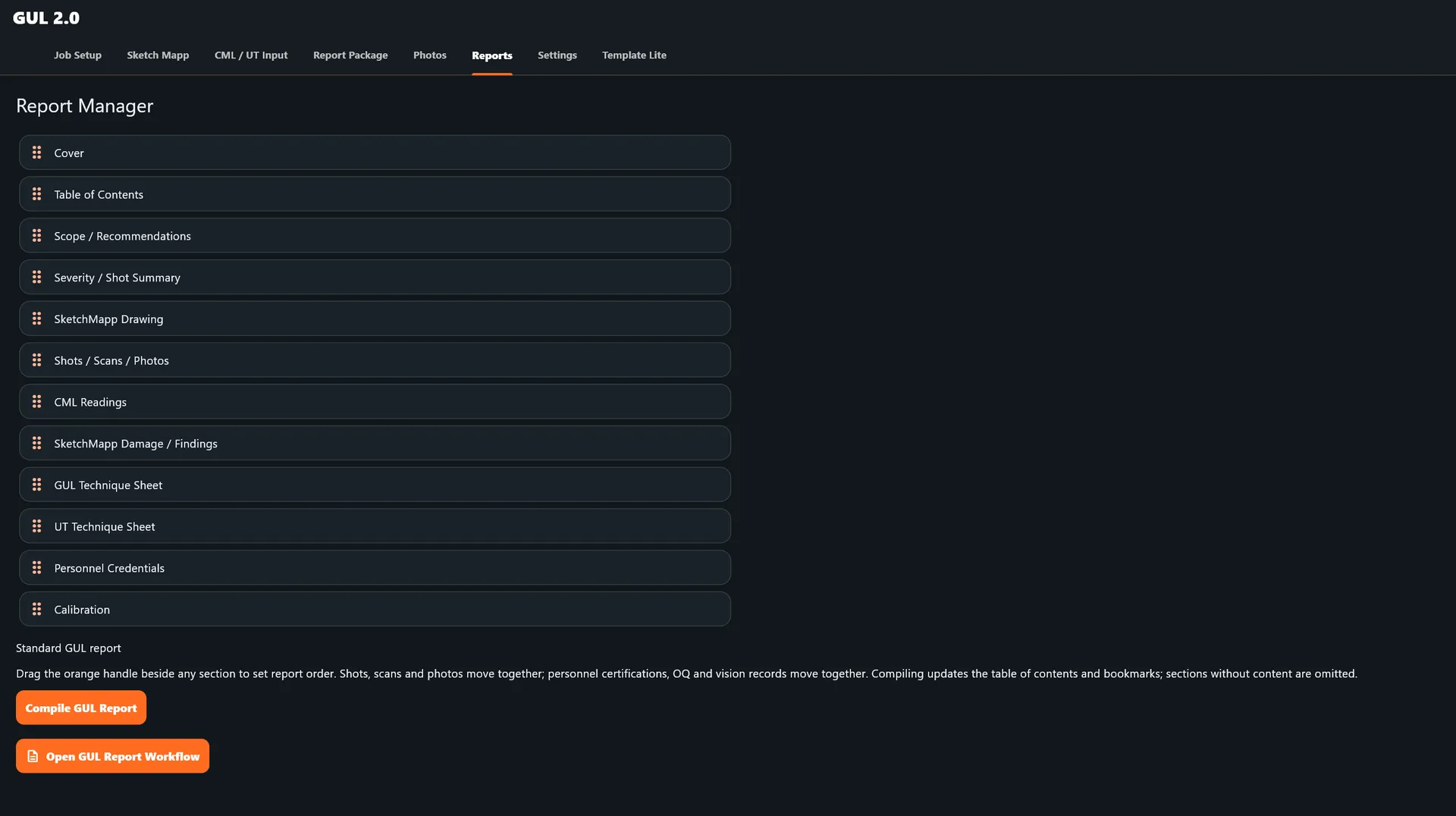
GUL 2.0 report manager screen showing the organized final report section list

07

API 570 + GUL

Screening and piping integrity in one workflow

Guided Wave 2.0 can be used as a standalone GUL reporting system or combined with API 570 inspection workflows for projects requiring broader piping integrity documentation.

  • Guided Wave screening
  • API 570 inspection data
  • UT follow-up
  • Piping drawings
  • Findings
  • Recommendations
  • Inspection calculations
  • Final integrated reporting

08

Designed around real GUL limitations

Screening data needs context

Guided Wave / LRUT is designed to screen long lengths of accessible pipe for changes or features that may require closer examination. A screening response is not a direct measurement of remaining wall thickness.

Good test conditions, poor test conditions, inaccessible areas, and method limitations need to remain visible in the report record. Guided Wave 2.0 documents those conditions and the qualified interpretation around each result.

What Guided Wave / LRUT is designed to screen

The method screens accessible pipe from a transducer location for reflectors or cross-sectional changes over a defined range. It helps identify locations for review and follow-up; it does not replace a localized confirmation examination.

Good and poor test conditions

Test conditions can be influenced by pipe geometry, diameter and wall, coatings, supports, soil contact, buried transitions, attenuation, temperature, operating conditions, sensor coupling, calibration, and access. The inspection package should identify conditions that support or limit the result.

Limitations and inaccessible areas

Supports, elbows, branches, welds, changes in section, heavy coating, buried or obstructed sections, attenuation, and inaccessible locations can reduce sensitivity or coverage. A recorded range is not the same as a guarantee that every location in that range was fully characterized.

What CSC means in relation to actual damage

CSC, or cross-sectional change, is an estimated value derived from the reflected signal response and the applicable analysis method. It is not a direct measurement of remaining wall thickness or local metal-loss depth, and should not be presented as a direct percentage of actual metal loss without localized confirmation and qualified interpretation.

Screening versus localized confirmation

Guided Wave results identify locations for engineering and inspection attention. A reportable response identifies a location that requires evaluation; it does not by itself confirm damage, its type, or its dimensions. Localized confirmation establishes the local condition using an examination method qualified for the information required and the project acceptance criteria.

Follow-up methods where appropriate

Follow-up depends on the information that must be established. Short-range UT, EMAT, QSR and other specialized techniques may have a role depending on the technique, its configuration and the qualified procedure. Where actual remaining wall thickness, metal-loss depth, or axial or circumferential extent is required, a localized examination qualified to produce that dimensional information should be used. The software organizes the status and evidence; it does not select or approve the method.

From screening to follow-up

One workflow for the complete Guided Wave inspection.

Connect shot data, indication review, drawings, trace images, follow-up NDE, photos, inspector documentation, and final reporting in one organized package.

Request a Demo