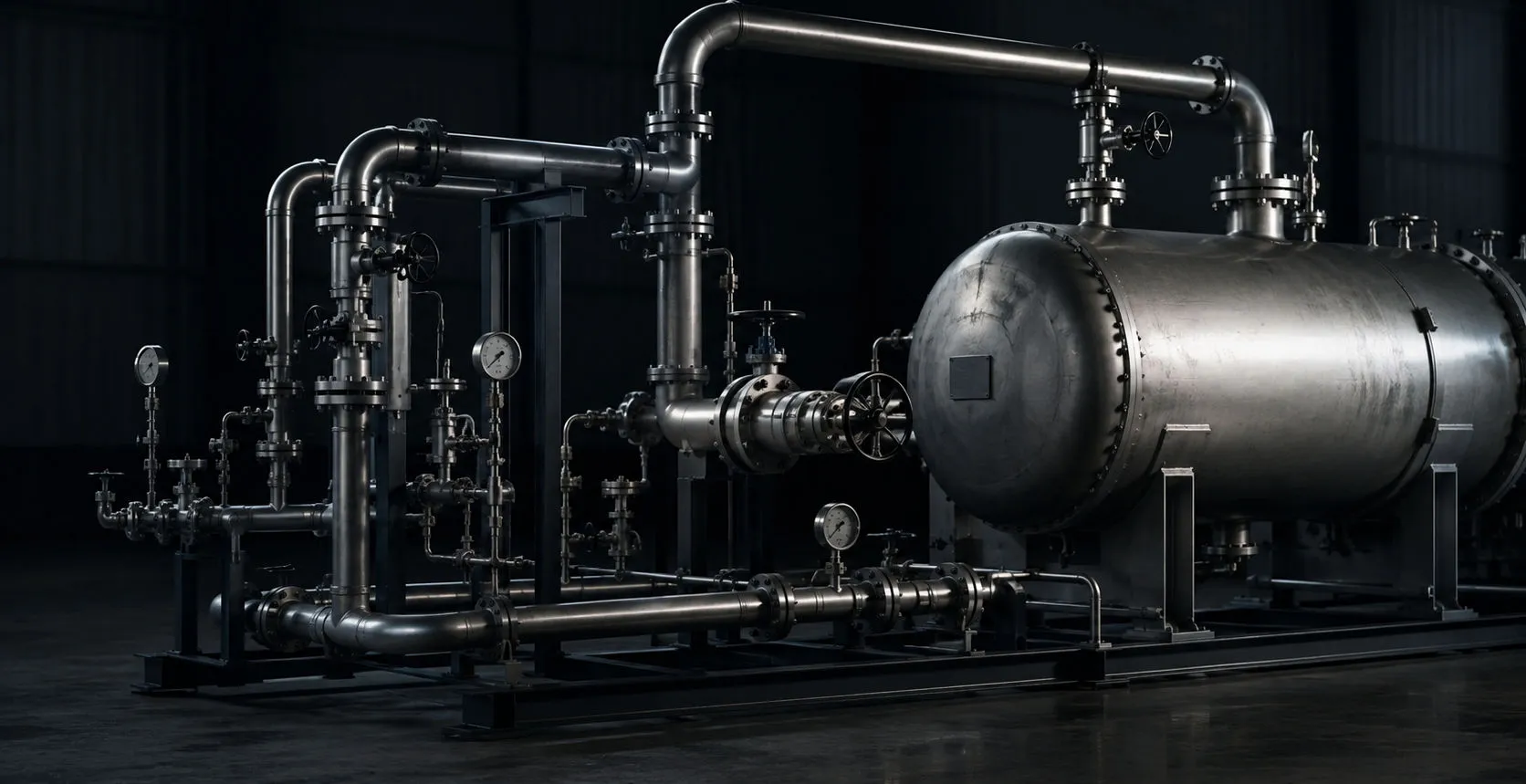
Industrial piping and pressure equipment in a mechanical integrity inspection environment

NDT Integrity module

Pipeline Integrity Assessment Software for ILI Dig Verification

Pipeline integrity assessment software for ILI correlation, dig verification, UT grid inspection, B31G, Modified B31G, RSTRENG, anomaly assessment, repair documentation, and field reporting.

01

B31G and Modified B31G Assessment

  • Interactive pipeline dig visualization
  • B31G and Modified B31G calculation workflow
  • Calculated remaining strength results
  • Safe-pressure or pressure-based assessment where supported
  • Defect Profile & Assessment Tools
  • Interactive defect profile visualization and analysis
  • Corrosion, crack-like, and repair feature profiling
  • UT grid imports and linked assessment workflows
  • Long seam and girth weld correlation tracking
  • Defect depth, length, width, and clock position mapping
  • Real-time anomaly comparison and assessment review
  • Linked C-scan, ILI, and field verification workflows
  • Assessment-ready reporting and engineering visualization tools
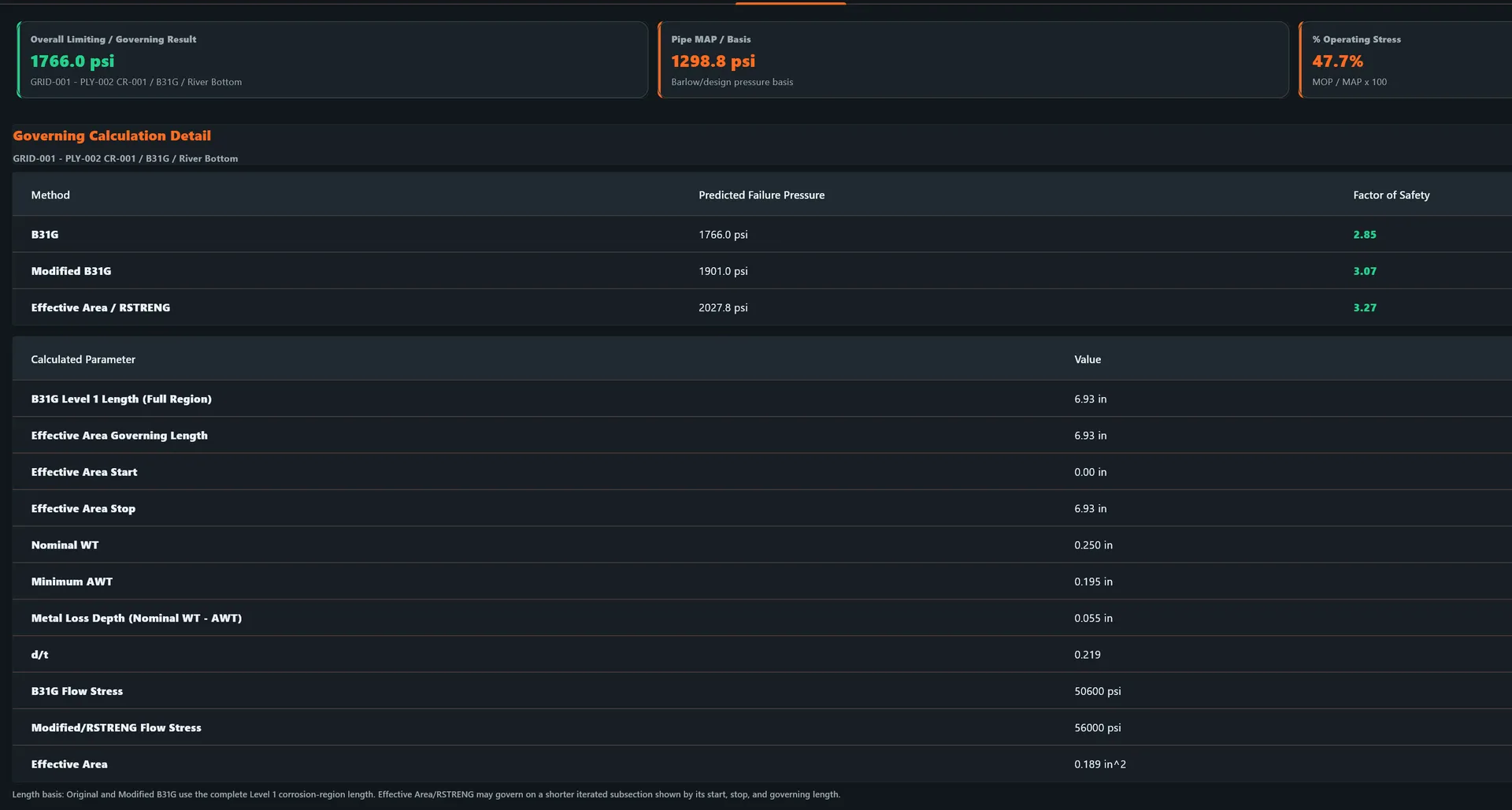
  • Example governing burst pressure: 1766.0 psi with factors of safety 2.85 / 3.07 / 3.27
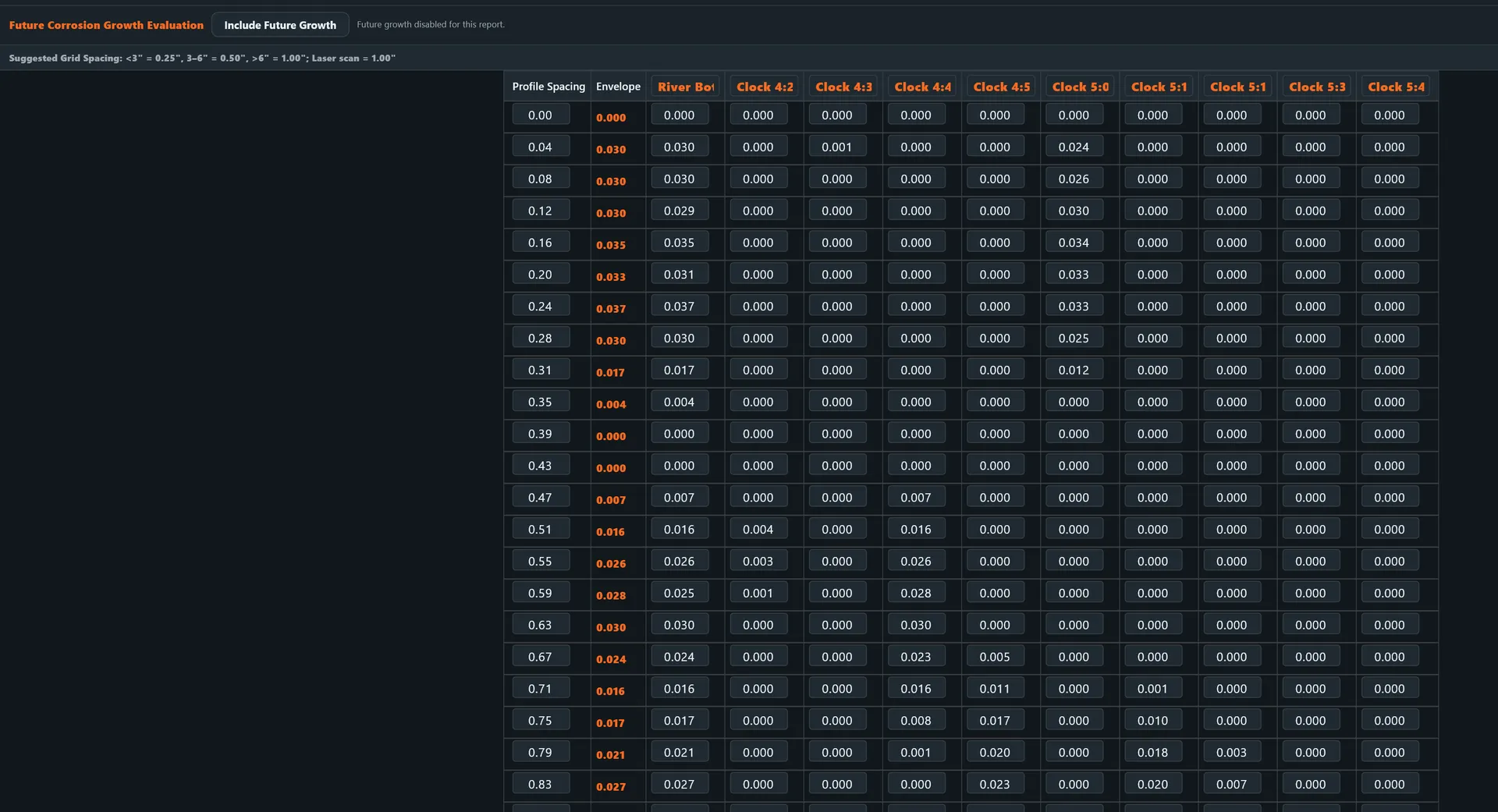
Future Corrosion Growth Evaluation grid showing suggested grid spacing and profile spacing wall-loss readings across river bottom and clock positions

GRID / PROFILE SPACING

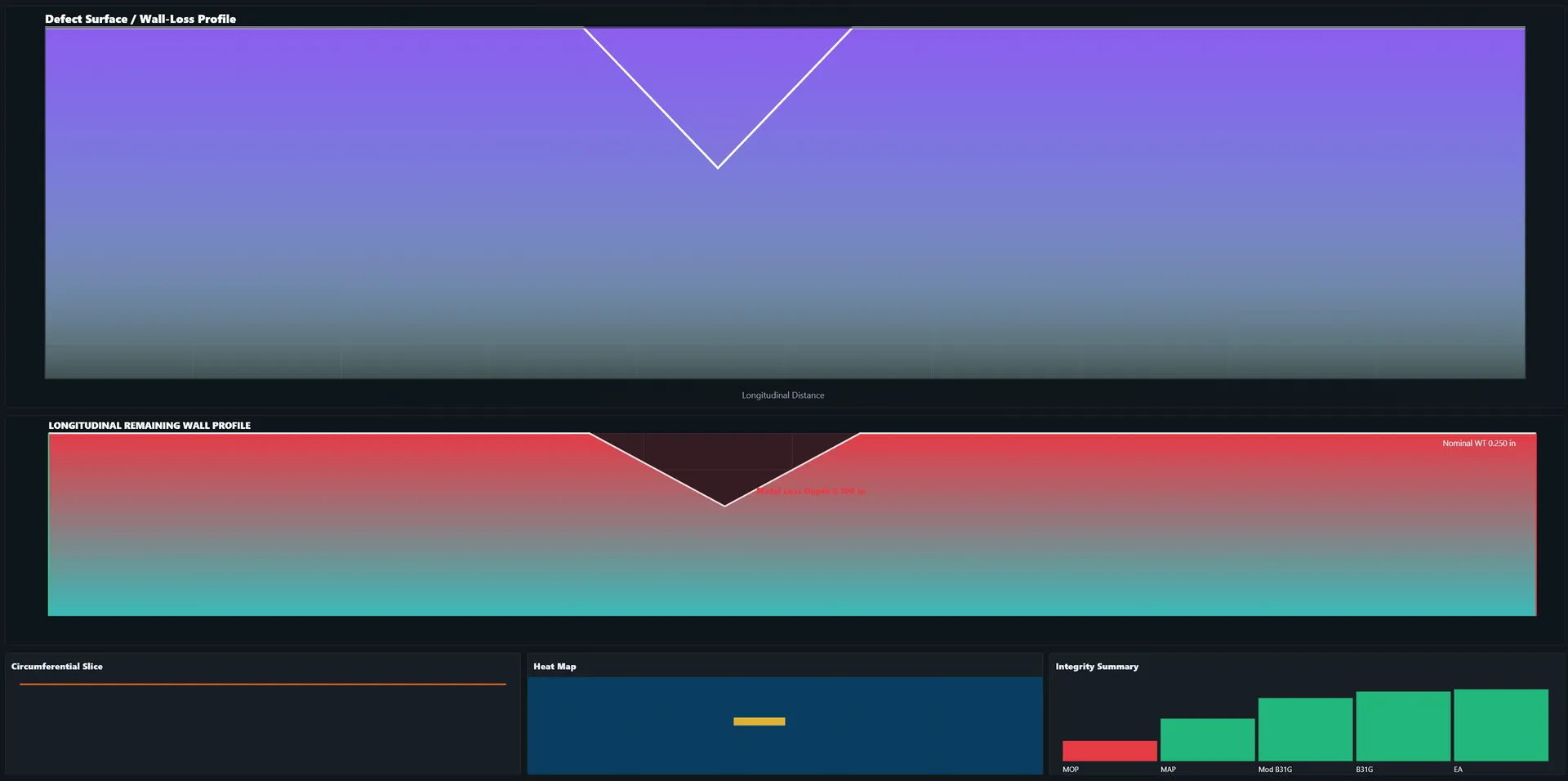
Defect Surface and Wall-Loss Profile showing longitudinal remaining wall profile, circumferential slice, heat map, and integrity summary

DEFECT SURFACE / WALL-LOSS PROFILE
Governing B31G, Modified B31G, and RSTRENG calculation results with burst pressure, factors of safety, and calculated parameters

B31G / MODIFIED B31G / RSTRENG RESULTS

02

RSTRENG Pipeline Assessment

  • RSTRENG assessment workflow and effective-area style results where supported
  • Compare B31G, Modified B31G, and RSTRENG results
  • Identify the governing calculated result for engineering review
  • Carry pressure, geometry, material, and defect inputs with the anomaly record
  • Document assessment assumptions, inputs, and report outputs
  • Qualified engineering review remains responsible for acceptance and repair disposition

03

ILI Feature Correlation and Dig Verification

  • Direct ILI feature import into the desktop Pipeline Module
  • Excel or CSV ILI feature import and review
  • Automatic population of interactive pipe anomalies
  • Engineering station / stationing and reference locations
  • Field odometer or wheel-count location capture
  • Android field verification tied to desktop ILI records
  • Field updates sync back to the desktop project
  • Linked dig sheet, ILI, and field verification data
  • Mobile review of anomaly location, clock, and measurements
  • Capture coating condition and field observations
  • Capture pH, soil, and ditch condition data
  • Girth weld / reference weld verification support
  • Not Correlated status tracking for field calls
  • Creaform or laser-scan linking where supported
  • Stable anomaly IDs to prevent duplicate records
  • Owner/operator to contractor cloud assignment support
  • Desktop-compatible Android save-back workflow
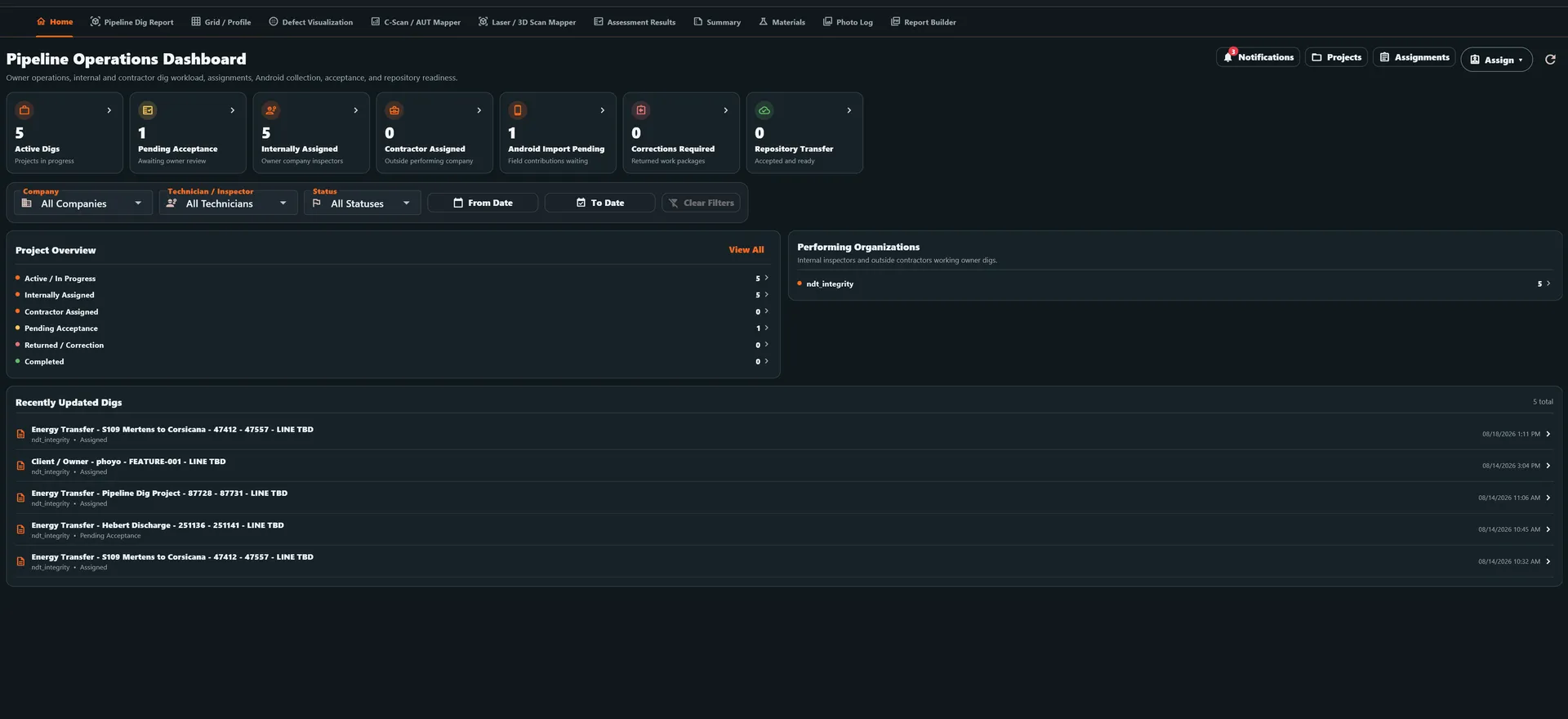
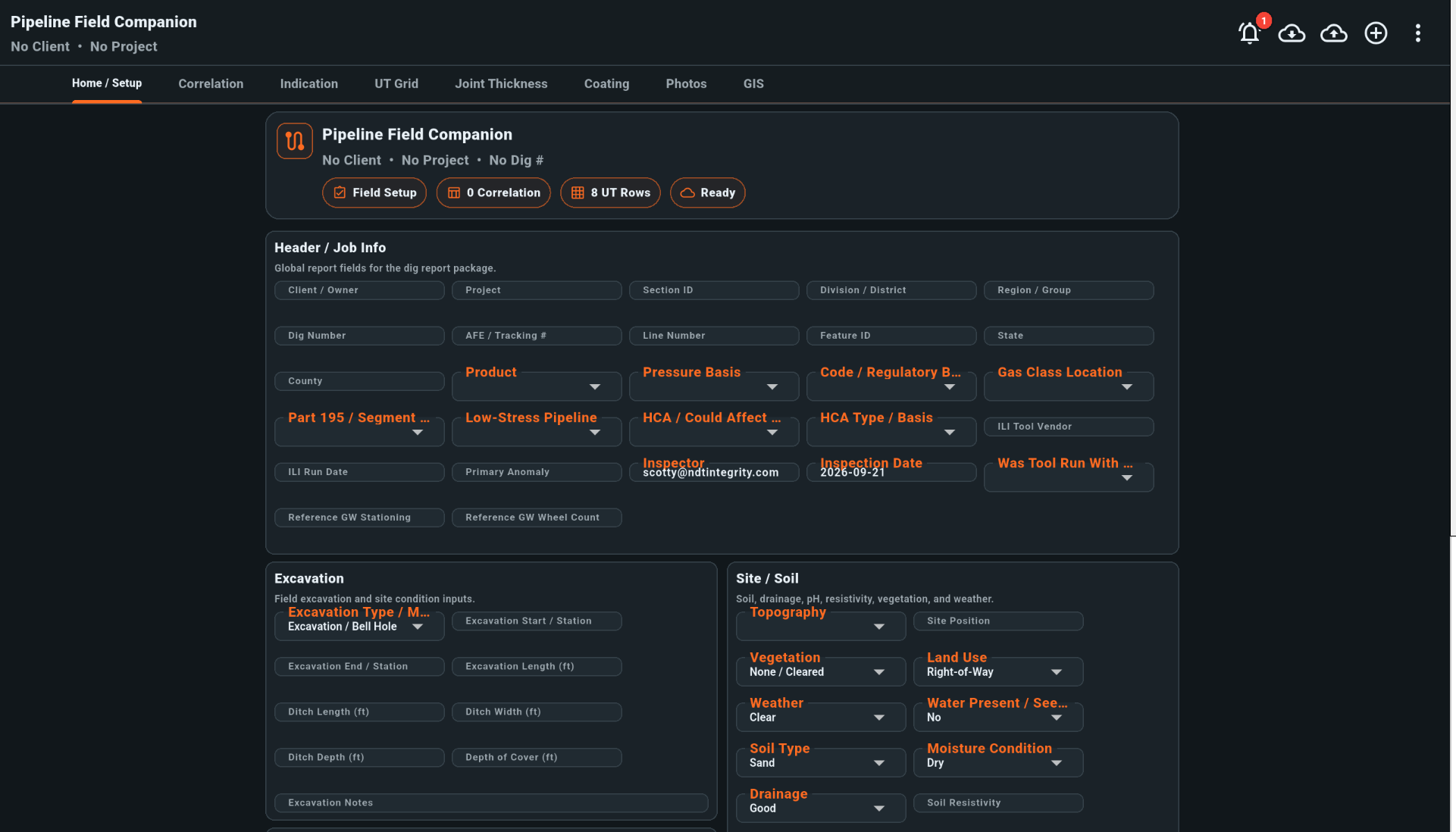
Pipeline Operations Dashboard showing dig workload counts, company and technician filters, project overview, performing organizations, and recently updated digsNDT Integrity Pipeline Field Companion Android app for field dig verification

04

UT Grid and C-Scan Field Verification

  • UT grid inspection and linked readings
  • Grid/profile spacing documentation
  • Wall-loss profile visualization
  • C-Scan and AUT evidence linked to the anomaly where supported
  • Compare field UT measurements with ILI dimensions
  • Document minimum wall, depth, length, width, and clock position
  • Capture field photos, coating condition, soil, ditch, and GPS observations
Pipeline UT grid and profile spacing table with wall-loss readings across clock positions

UT GRID / PROFILE SPACING

05

Pipeline Anomaly Reporting and Repair Documentation

  • Anomaly assessment records
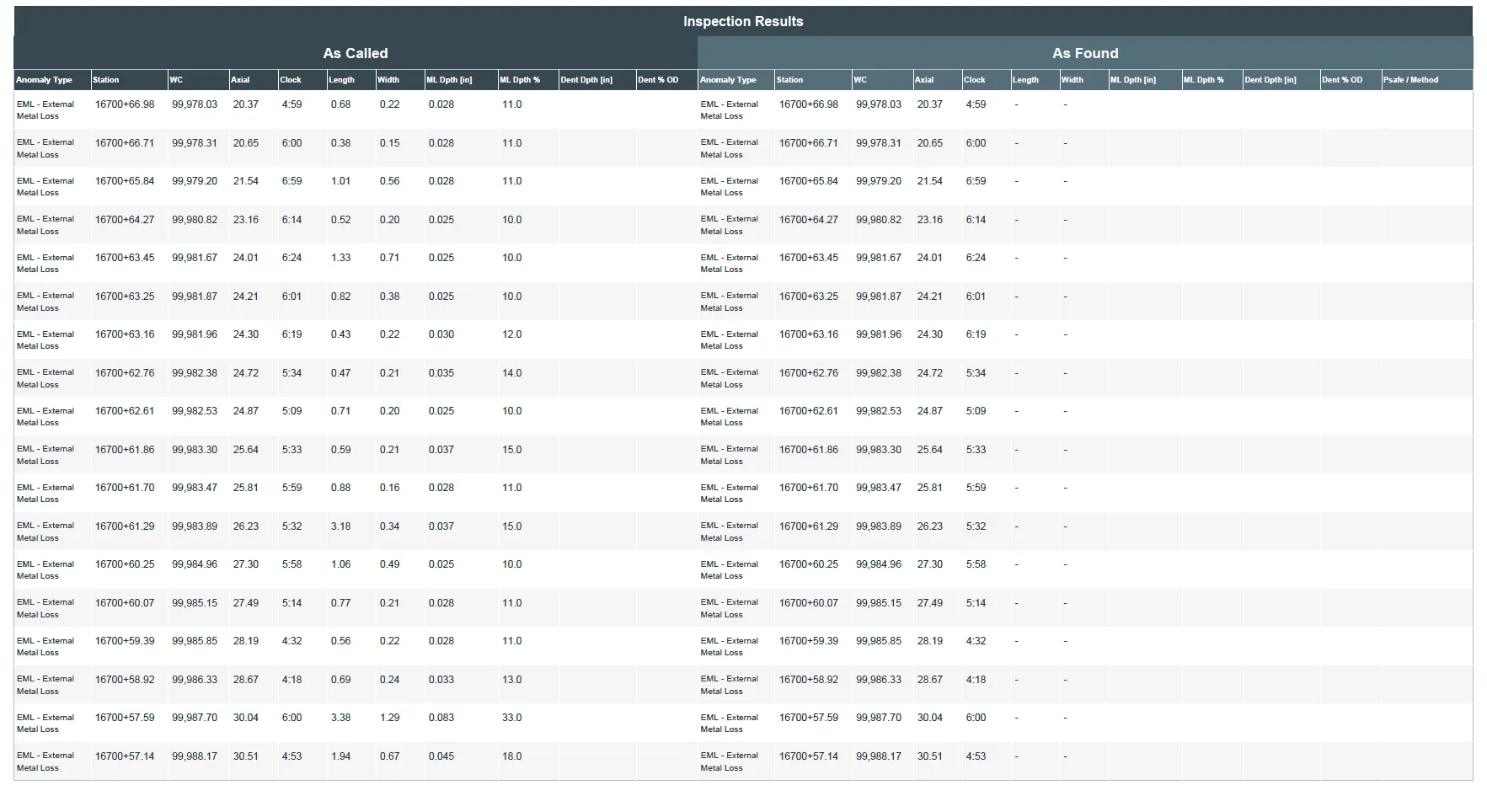
  • As-called and as-found documentation
  • Repair and coating condition records
  • Girth weld and reference weld locations
  • GPS and field location notes where collected
  • Photos and supporting attachments
  • Recommendation and follow-up tracking
  • Professional pipeline assessment report packages
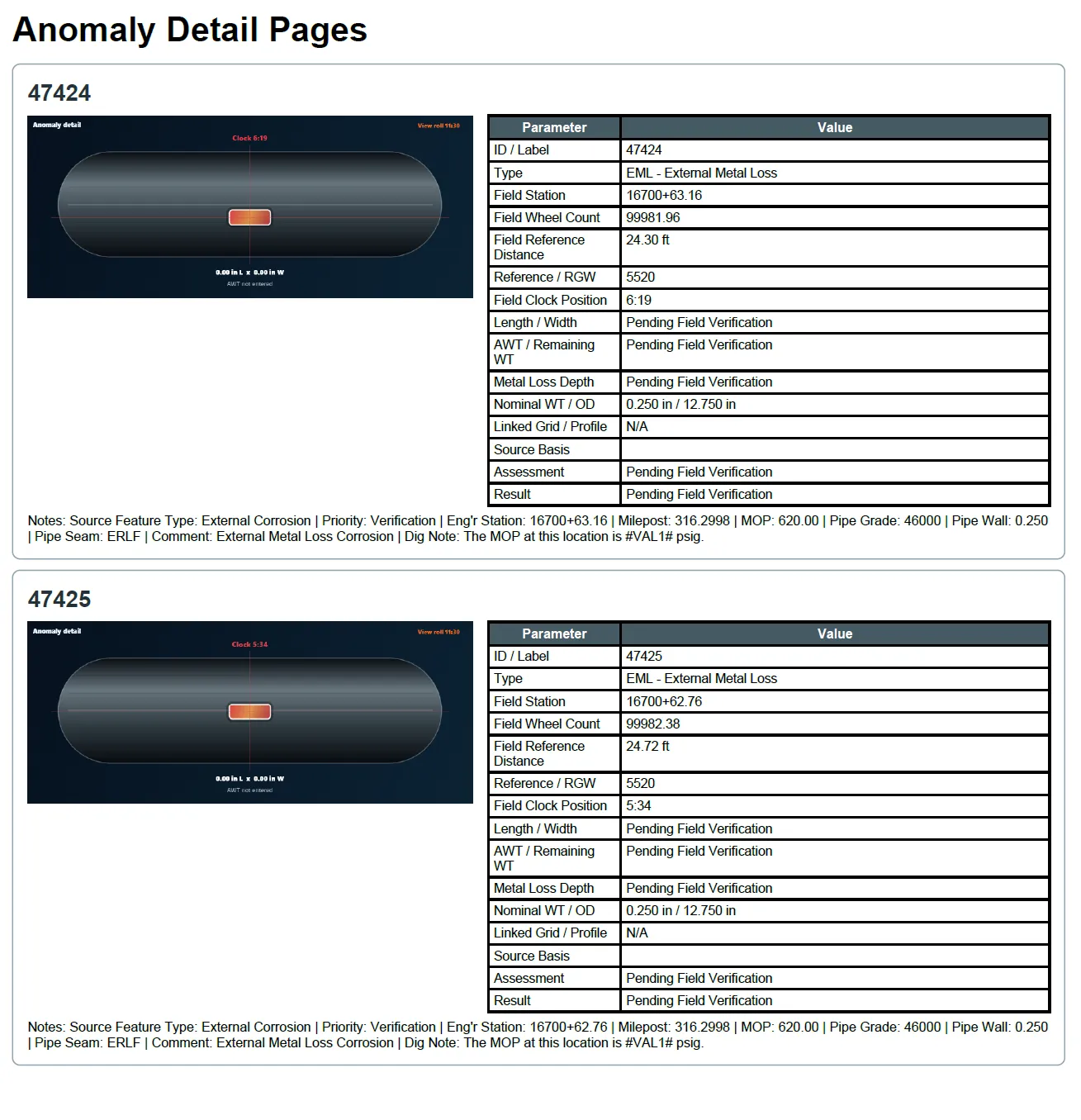
Pipeline anomaly detail report pages with parameter and result tables

ANOMALY DETAIL / REPAIR RECORD

06

Reporting & Deliverables

  • Professional API-compliant report generation
  • Dynamic executive summary generation from live inspection data
  • Automated recommendation and concern summaries
  • Client-branded report templates and layouts
  • Interactive HTML deliverables and digital exports
  • Technique sheets, certifications, and attachment integration
  • Photo logs, inspection images, and documentation support
  • One-click project compilation and organized deliverable packages
  • Custom report section ordering and template management
  • Professional PDF outputs designed for real-world client delivery
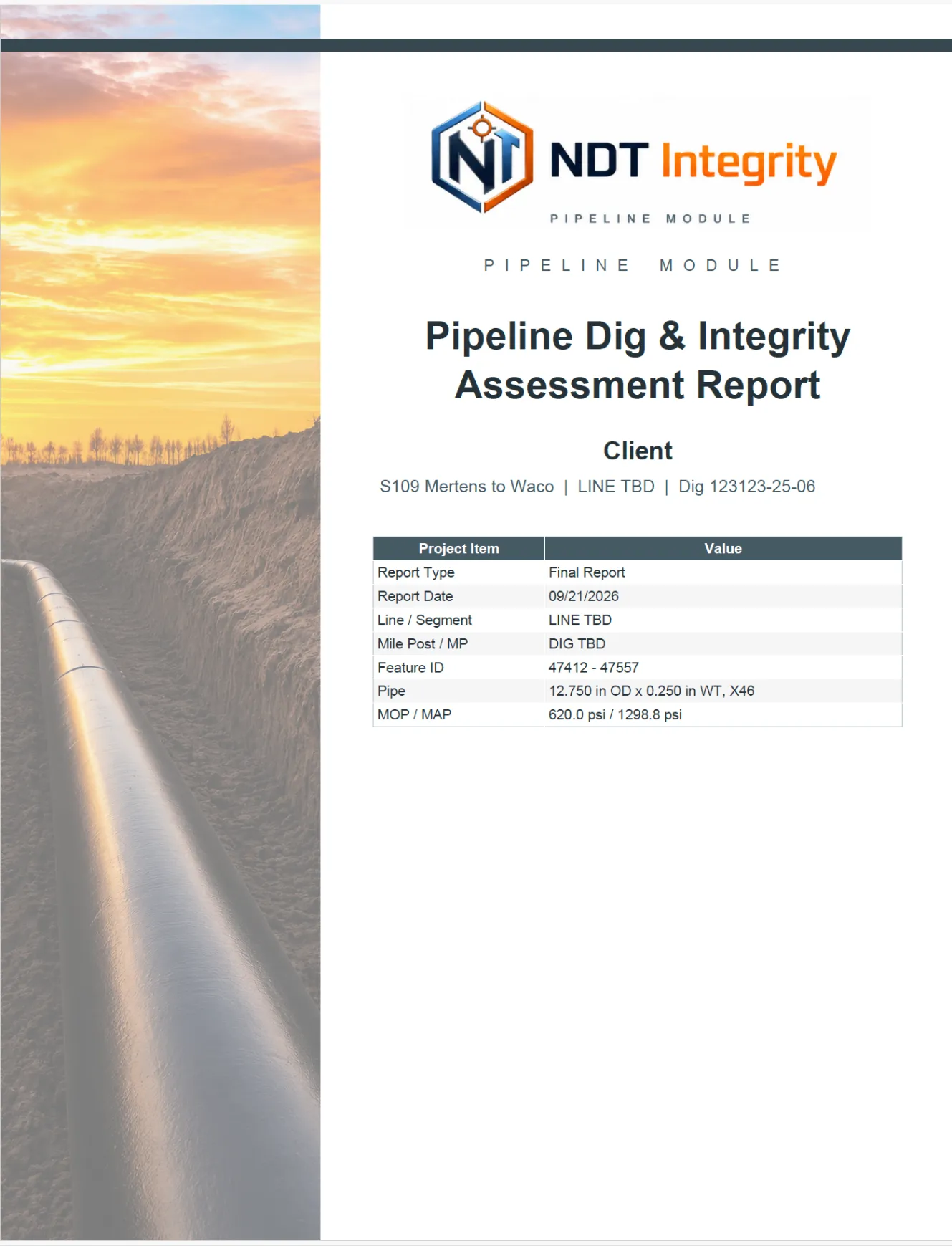
Pipeline Dig and Integrity Assessment Report coverPipeline As Called and As Found inspection results tablePipeline anomaly detail pages with parameter and result tables

Pipeline integrity questions

Frequently asked questions about pipeline assessment.

01What is ILI dig verification software?

ILI dig verification software connects imported in-line inspection features to field dig records so technicians can verify anomaly location, dimensions, coating condition, weld references, photos, and follow-up observations in a structured project record.

02Can I import ILI features from Excel or CSV?

The Pipeline workflow supports direct ILI feature import and Smart Import-style Excel or CSV review where the incoming fields can be mapped to NDT Integrity records. Imported records can be reviewed before they are applied to the project.

03Does NDT Integrity support B31G, Modified B31G and RSTRENG?

Yes. The Pipeline workflow presents B31G, Modified B31G, and RSTRENG assessment results and carries the inputs and calculated outputs into the anomaly and report workflow. Qualified engineering personnel remain responsible for interpretation and disposition.

04Can field UT measurements be compared with ILI dimensions?

Yes. Field UT grids, profile spacing, wall-loss measurements, and related C-Scan evidence can be linked to the ILI anomaly record for comparison and reporting where supported by the project workflow.

05Can the software document repairs, coating condition, GPS and girth weld locations?

Yes. The field workflow can document repair observations, coating condition, location notes, photos, GPS information where collected, and girth-weld or reference-weld locations as part of dig verification and anomaly reporting.

Connected to the rest of the workflow

From field evidence to a finished deliverable.

Request a demo